APEX Report Generator

Demo User Tips

  • Revolutionizing psychological assessment report writing
  • Complete patient evaluations in record time
  • Increases accuracy and enhances professionalism
  • Click here for a quick demo
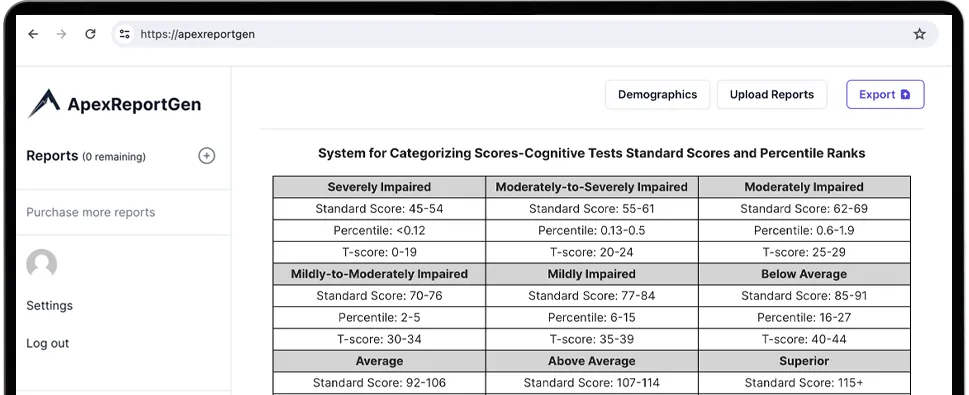
APEX Report Generator Demo Img
Request a demo, Apex Report Generator

Click here for a quick demo

Demo User Tips

Discover how the APEX Psychological Assessment Report Generator can transform your workflow. Contact us today for a demonstration. See firsthand the powerful features and user-friendly interface that make report writing efficient and in record time. Click below to start your journey toward streamlining your psychological evaluation assessment report writing workflow.

DEMO – Key User Tips – Maximizing Efficiency with APEX Report Generator

To ensure you get the most out of the APEX Report Generator, here are some essential tips for utilizing this innovative tool effectively. By following these tips, you can optimize your use of the APEX Report Generator, saving time and improving the quality of your evaluation reports.

To get started, simply click on any “Get Started” button where you will be linked to the APEX Generator interface.

  • Decide on price plan – See Pricing
  • IMPORTANT – Each report is counted once you are finished and have exported the report. Be sure you do not export the document until you are ready. This is an important feature to ensure reports are counted correctly. Once you export the report, you will no longer be able to edit the report with the APEX Report Generator. However, you can make further edits using Microsoft Word. (APEX Report Generator exports the final report in .doc format.)

Customize your reports with your clinic’s information. Add contact information and headers for multiple offices including:

  • Your logo
  • Addresses
  • Phone numbers

APEX Report Generator is HIPPA compliant. All client files are stored safely and securely.

APEX Report Generator integrates the DSM-5-TR. This smart interface is intuitive, making it easier for professionals to adopt and integrate into their workflow saving valuable time. Simply, enter the keywords, or start typing your content, and then let the AI offer suggestions. AI is good, but it isn’t perfect so we’ve specifically built APEX Report Generator to assist you. You should always check and edit the content to meet your needs.

APEX Report Generator’s intuitive interface knows where to find the exact table information from over 60 different tests. Simply drag and drop a PDF of your completed report and let APEX find the information and import it into your report. No more data entry! APEX is compatible with reports generated from:

  • Q-Interactive
  • Q-Global
  • PariConnect
  • MHS
  • WPS
  • and more!

APEX Report Generator incorporates AI to generate text in text fields. However, you can also change the information in the text fields to your liking. Make it look exactly the way you want before you export it!

When you are ready, export your report. A Word Doc is generated that can be further customized, or edited with Microsoft Word if needed. IMPORTANT – Each report is counted once you export the report. Be sure you do not export the document until you are ready. This is an important feature to ensure reports are counted correctly.

At APEX Report Generator, we dedicate ourselves to providing you with the highest quality tools and support for your practice’s needs. After thorough research and development, we stand behind our product’s ability to enhance your clinical workflows and assessment processes. Due to the nature of our digital products and services, all sales are final. We encourage you to review all available information, watch our demo video, and contact us with any questions you may have before making a purchase.

Ready to Get Started?

APEX Report Generator is a software program designed to help complete assessment evaluations quickly and comprehensively in minutes – not hours or days! With sophisticated features like comprehensive test importation, intuitive user interface design, and multi-mode data entry capabilities at your fingertips, this revolutionary solution will revolutionize the way clinicians create their psychological assessments.